
Agents
Handoffs & side chats
Move a chat to another agent or model without losing the thread, keep going when a plan runs out, and ask questions in a side chat.
A chat isn’t tied to the agent it started on. Between turns you can move it to another provider or model, and Codz hands the newcomer the conversation so far. When a plan’s usage limit stops a turn, Codz can make that switch for you. And when you want to ask about a chat without interrupting it, a side chat opens beside it.
Switch agents in a chat
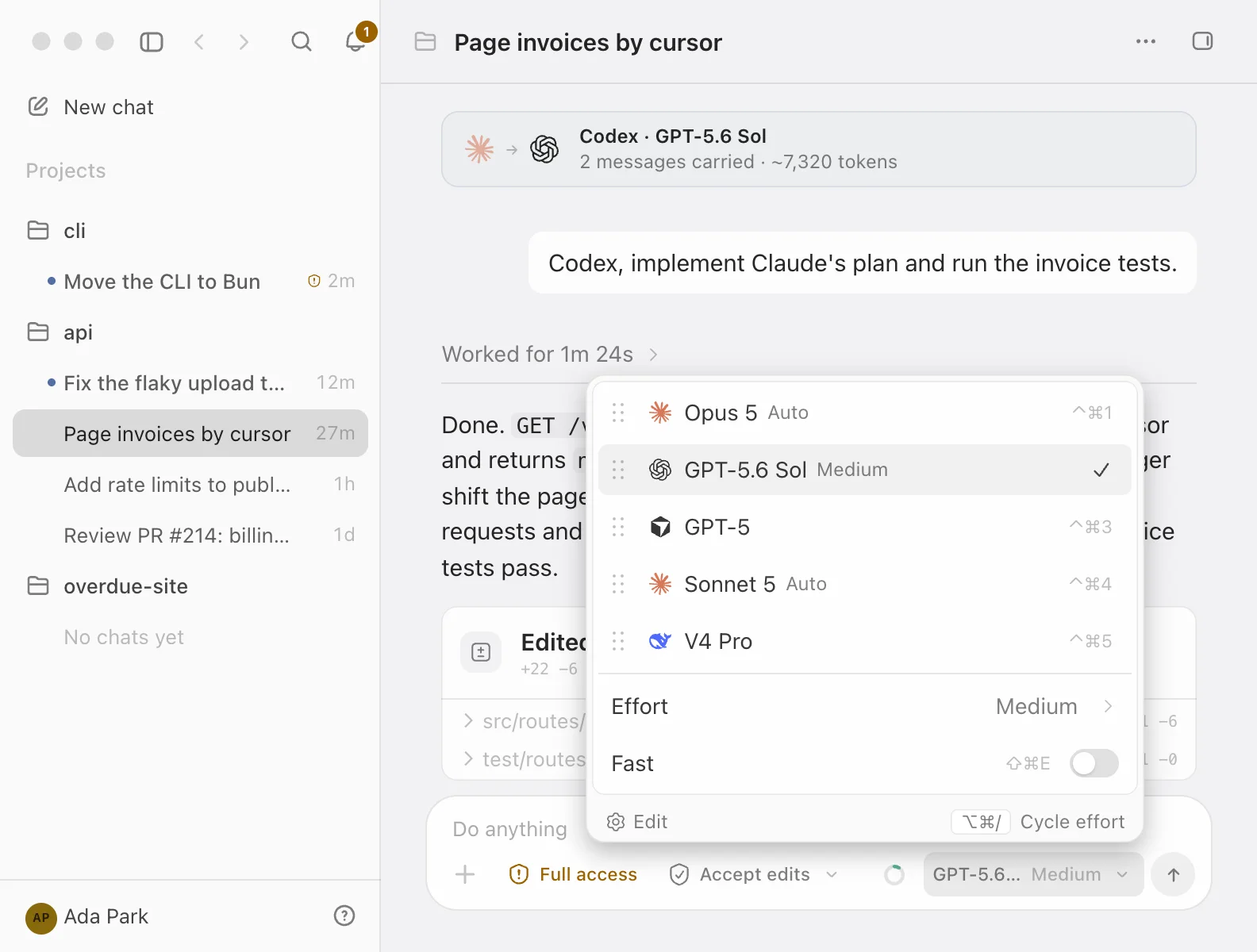
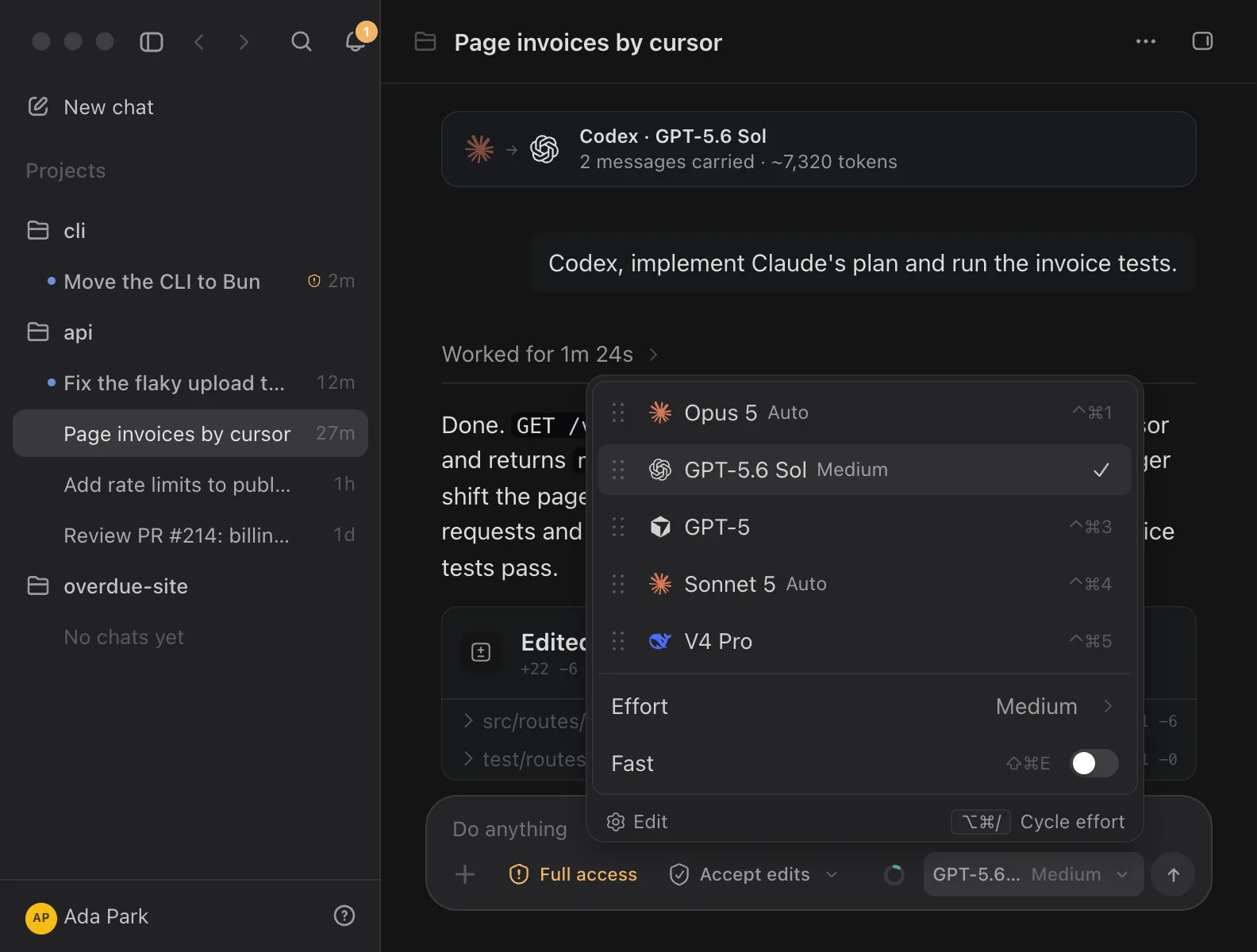
- Open the model picker in the composer with ⌘/.
- Choose a model from another provider.
- Send your next message.
⌃⌘1…9 picks a model from your loadout in one step, and the command palette offers a Switch This Chat to command for each other ready provider, such as Switch This Chat to Codex. Models & loadout covers the picker and the loadout.
A switch applies to your next message. It is refused while a turn is running (“Stop the current turn to change this.”) and for a provider that isn’t set up yet; a dimmed row in the picker says why. If the old agent was waiting for an approval, that request is denied, because the agent that asked can no longer act on the answer.
What carries over
The transcript stays one thread in Codz, and a seam marks the switch: both agents’ icons, the new provider and model, and a line saying how many messages go with it and roughly how many tokens that is. It reads “Will carry … forward” until you send and “Carried … forward” after. The token figure is an estimate, not a count.
Each provider keeps its own session, so the new agent can’t read the old one’s. Codz gives it an excerpt of the conversation instead, framed as reference material rather than instructions:
- What goes: your prompts and the agent’s answers, newest first, up to 24 messages and about 24,000 characters. A long thread loses its oldest exchanges first.
- What stays behind: reasoning, tool calls and their output, diffs, approvals and errors. Diffs are already on disk, where the new agent can read the files itself.
- What it is told: that it didn’t run any of it, so it should re-check files and command results before relying on them.
Switching back resumes the provider’s own session and carries only what happened on the other agents in between.
Changing only the model on the same provider adds a seam too, reading “Now on” and the model’s name, so two answers from different models never sit together unmarked. If you flip through several models before sending, the chat keeps a single seam, and none at all if you end where you started. Moving a chat to another login for the same provider is a handoff as well; see Providers & logins.
When a usage limit hits
With Settings ▸ Agent & composer ▸ Continue on another provider turned on (it is by default), a turn that stops on a spent usage limit doesn’t end the task. Codz switches the chat to the next ready model in your loadout, carries the thread over as above, and sends the new agent this message:
Continue the task from where the previous agent stopped. It hit a usage limit and could not finish. Do not restart work that is already done; pick up the remaining steps.- Codz takes the next ready model from another provider, in loadout order after the current pick and wrapping around. Ready providers that aren’t in your loadout come last.
- When the provider says only the selected model is out of usage, Codz first tries another model from the same provider in your loadout.
- Codz never goes back to a provider or model that has already run out during the same run. The next message you send yourself starts over.
If nothing ready is left, the turn stops and the composer shows the limit, when it resets, and a button to the provider’s page when the provider names one. Plan limits explains the meters behind it.
Side chats
A side chat is a second conversation pinned beside a chat, for asking about the work while it carries on. It runs its own agent process with its own context window, so a question neither interrupts the main turn nor spends its context.
Open one with Chat ▸ Side Chat (⌘⇧A), from Side chat in the rail’s panel list, or by selecting text in the transcript and choosing Ask in side chat. It starts on the same provider, model and login as the chat when that provider is ready, and on the first ready provider otherwise, in your default mode. The composer, modes and tools are the full ones.
Every question brings the side chat up to date: Codz adds what the main chat has said since your last question as reference, keeping the newest part when there is more than about 12,000 characters. The side chat’s agent is told it can’t see or change the main conversation, not to start subagents, and to inspect rather than modify files unless you ask it to here. When the main chat runs in an isolated worktree of its own, the side chat stays in Ask.
Right-click the Side chat tab for:
- New side chat — start again with a clean slate.
- Copy last answer.
- Send last answer to the task — puts the answer into the main chat’s composer, ready to edit and send.
Continue outside Codz
The Chat options menu (… in the chat header) hands a chat to other places:
| Item | What it does |
|---|---|
| Open in Terminal | Opens Terminal in the chat’s folder and runs the provider’s resume command, which it also copies. Available for Claude Code, Codex, Cursor and OpenCode chats once they have sent a prompt. |
| Copy session ID | Copies the provider’s own id for the chat. |
| Open in | Shows the chat in Claude Desktop, ChatGPT, Cursor or OpenCode. |
| Continue in cloud… | Starts a separate task in the provider’s cloud. |
The resume commands are the providers’ own:
claude --resume <session-id>
codex resume <session-id>
agent --resume <session-id>
opencode --session <session-id>Open in opens the chat directly when it is already that app’s own session, such as a Claude Code chat in Claude Desktop. Otherwise, after asking once, Codz writes a copy of the transcript into the app’s local data as a new session whose title is the chat’s, after “Codz ·”. Existing chats are not overwritten, and opening the same chat there again replaces the copy. Quit ChatGPT, Cursor or OpenCode first, because Codz won’t write to their data while they run.
Continue in cloud… doesn’t move the conversation. It submits a new task to the provider’s cloud with a description you write or review first (filled in from the chat’s goal when it has one), and links that task back to the chat:
- Claude Code and Codex take the task from their CLIs. Codex needs a cloud environment ID or name, and lets you choose the branch and up to four attempts. Claude Code offers Plan only or Execute when its CLI supports it.
- Cursor hands work to its cloud only from its own app, so Codz offers Open Cursor Agents instead. OpenCode, OpenRouter and DeepSeek have no cloud to continue in.
- Only the description is sent. The Codz transcript, approvals and anything uncommitted stay on your Mac, and the sheet warns about uncommitted work and local commits that aren’t pushed.
Tick I reviewed this boundary and want a separate cloud task, then click Start Cloud Task. Linked tasks appear under Linked cloud tasks with their status. The item is unavailable in imported chats and while a turn is running.